
A Kids Smartwatch From a Mystery Box: SIM Cards, Tracking and Privacy
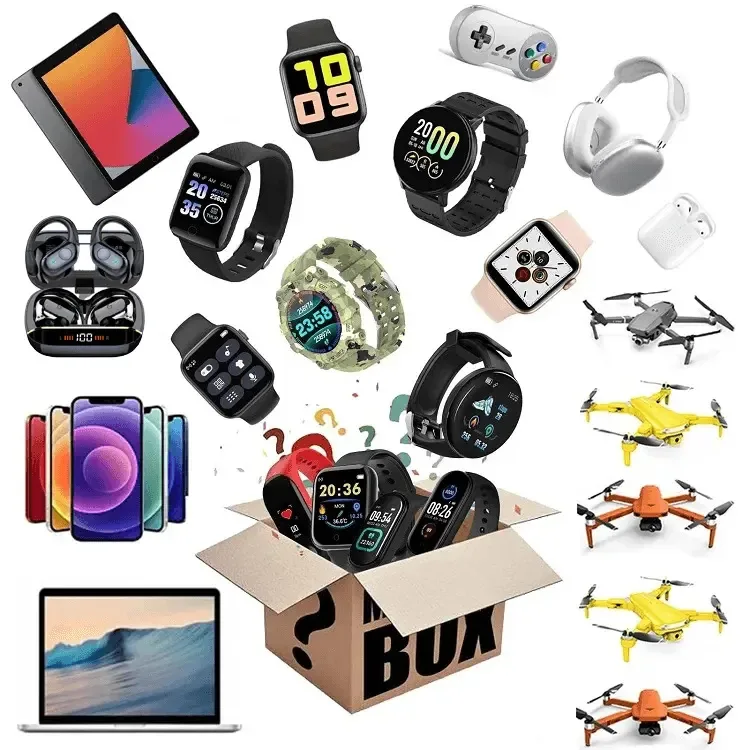
A brightly coloured children's smartwatch in a mystery box looks like a toy and is closer to a phone: many of them take a SIM card, make calls, and report your child's location to a server you have never heard of. Whether yours is a camera-and-games watch or a tracking watch changes what you do with it. Here is how you tell, which SIM will work, and what to decide about the app before it goes on a wrist.
Two Kinds of Kids' Watch
The simpler kind has a camera, a few games, a step counter, a torch and a music player, and no radio at all beyond a charging cable. It is a toy with a screen, it talks to nothing, and your only questions are the battery and the small parts. The other kind has a slot for a nano SIM under a cover or behind the strap, a speaker and microphone for calls, and a GPS chip; it works as a small phone that only calls numbers you have approved, and it sends its location to an app on your phone through the mobile network. The box will usually say "4G" or "GPS" or "SOS" on it if it is the second kind, and a SIM tray is the proof you can see.
The second kind is the more useful and the more complicated for you. It needs a paid SIM, the right network, an app account that holds your child's location history, and a decision about who else can see it. What a grown-up smartwatch from a box can and cannot do is a separate question, covered in what "waterproof" really means on a mystery box smartwatch; the children's version adds the network and the privacy questions on top.
Getting a SIM That Works
- A watch with a SIM tray needs a nano SIM on a plan with data and calls, on a network whose 4G bands the watch supports; an old 2G or 3G watch will not connect in the US at all.
- The app holds your child's location, call log and often a photo; use a dedicated email, set a strong password, and check who else the maker shares it with before the first sync.
- Set the approved contacts, the school-mode hours and the SOS number before it goes on the wrist, and switch off any feature that lets the watch be called silently.
The SIM is where most of these watches fail in the US, and it is rarely the watch's fault. Three things must line up for you. The plan must include voice and data, not data only, because the watch makes real calls; the cheapest plans sold for tablets do not. The network must be one the watch supports: most watches from overseas are built for GSM-type networks, which in the US means T-Mobile and AT&T and the resellers that use their towers, and a Verizon SIM will not work. And the watch must be a 4G model, because the older 2G and 3G networks it might have used were switched off in the US in 2022 and a watch built for them cannot connect anywhere in the country now.
The cheapest route that works for you is a prepaid SIM from a reseller that advertises smartwatch or IoT plans, typically a few dollars a month for the small amount of calling and data a watch uses. Buy a nano SIM, activate it in a phone first to confirm it works, then move it to the watch. If the watch will not register on the network after that, check the band list on the watch's box against the carrier's; the watch is not faulty if the two do not overlap, it is simply built for a different country.
Setup, In Order
| Step | What you do | Why it comes here |
|---|---|---|
| 1. Charge | Full charge on the supplied cable | A flat watch will not register on the network |
| 2. SIM | Activate it in a phone; move it to the watch with the watch off | Proves the SIM before you blame the watch |
| 3. Signal | Power on outdoors; wait for the signal bars | GPS and network both want open sky the first time |
| 4. App account | Install the app named on the box; register with a gadget email and a strong password | This account will hold the location history |
| 5. Pair | Scan the QR code on the watch or in its settings | Ties the watch to your account, not to a stranger's |
| 6. Contacts | Add the approved numbers; block calls from anyone else | The watch should ring only for people you chose |
| 7. Features | Set school-mode hours; set the SOS number; turn off remote listening if it exists | Decide what the watch can do before the child does |
| 8. Test | Call the watch; call from it; check the location on a walk | Confirms every function on day one |
Read step seven with care. Some of these watches carry a feature that lets your app switch the watch's microphone on without any sign on the watch, sold as a safety feature. Whatever you think of it, it is a microphone that can be turned on remotely by whoever holds the account, which is why the account password matters and why the feature is worth switching off unless you have a specific reason to keep it. Step five is what stops a stranger pairing the watch: the pairing code on a cheap watch is sometimes printed on the box and sometimes guessable, so pair it before anyone else can.
Note: A child's location history, call log, contact list and often a photo is exactly the data that US law treats most strictly for children under 13, and the app of an unbranded watch is unlikely to say who it shares it with. Read what the app asks for at install, refuse anything beyond location, phone and contacts, use an email that is not your main one, and remember that deleting the app does not delete the history on the maker's server. If the app has no privacy statement at all, that is your answer about the watch.
The Toy Kind
A watch with no SIM tray is much simpler, and your checks are the ones for any small gadget going to a child. The strap and the back cover should not come apart easily; the charging contacts should sit under a cover; there should be no coin cell inside, which the battery compartment tells you in a minute of your time, and the rules on that are in button batteries in mystery box gadgets: what parents should check. The camera on a toy watch stores photos on the watch and nowhere else, which is the only kind of camera a young child should have. Volume on the tiny speaker is loud enough to matter if your child holds the watch to the ear; the games are harmless.
Whether It Suits Your Child at All
A tracking watch is a decision about your child, not about a gadget. For your child of six to ten who walks to school or plays out of sight, a watch that calls three numbers and shows you where they are is what you may want and no phone offers. For your younger child it is a phone they cannot yet manage; for your older one it is a phone they will resent. The wider question of which box items suit which age is in mystery boxes for children: what changes and what to check, and a SIM watch is the item where the answer depends least on the box and most on your family.
What This Means When You Order
You should expect a children's watch from a mystery box to be either a screen toy or a small phone with GPS, to need a nano SIM on a compatible 4G network if it is the second, and to hand your child's location to an app whose maker you cannot name. Check the tray, prove the SIM in a phone, pair it before anyone else can, and set the contacts and the features before the wrist. Ask the seller whether devices in their boxes are powered on before dispatch; Mewoo tests devices before packing and states what its boxes are built around, and any seller should tell you the same.
FAQ
Does a kids' smartwatch need a SIM card?
Only the kind with a tray for one. A watch with a SIM slot makes your calls and reports location over the mobile network and does nothing useful without a paid SIM; a watch with no slot is a self-contained toy with a camera and games and never needs one. Look under the back cover or along the strap for a small tray or a rubber flap; 4G, GPS or SOS on the box also mark the phone kind.
Which SIM card works in a kids' smartwatch?
A nano SIM on a plan with both voice and data, from a network your watch supports. Most watches from overseas use GSM-type networks, which in the US means T-Mobile, AT&T and the prepaid brands on their towers; Verizon SIMs generally do not work. Several resellers sell you cheap smartwatch plans for a few dollars a month. Confirm it is live in a handset before it goes into the watch, and swap it over with the watch powered down.
The watch shows no signal even with a SIM. Is it faulty?
Usually not. Check three things in order: the SIM is activated and works in a phone; the plan includes calls, not just data; and the watch is a 4G model whose bands match the carrier, since 2G and 3G closed in the US in 2022. Power it on outdoors and wait a few minutes. A 4G watch on a proven SIM from a matching carrier that still shows nothing is the point to report.
Who can see my child's location from the watch?
Whoever holds your app account, and the company that runs the app's servers, which for an unbranded watch is a firm you cannot name in a country you may not know. Location history, the call log and any photo you added are stored there, and deleting the app does not remove them. Use a dedicated email and a strong password, refuse permissions beyond location, phone and contacts, and read the app's privacy line for the word "share" before you sync.
What is the remote listening feature, and should I turn it off?
It lets your app switch on the watch's microphone without the watch showing anything, marketed as a way to hear what is happening around the child. It is also a microphone anyone with the account password can activate, and some countries have banned it on consumer devices. Unless you have a specific reason to keep it, switch it off on day one, and guard the account password accordingly.
Is a cheap tracking watch accurate?
Outdoors, to within about ten to thirty metres, which is enough to show you which street or which park. Indoors, and in the first minute after switching on, it falls back on cell-tower and Wi-Fi positioning and can be hundreds of metres out, so a dot two blocks from the school is usually the watch guessing. Check it on a known walk before you rely on it, and read the dot as a neighbourhood, not a doorstep.
Final Thoughts
A children's smartwatch from a mystery box is a toy or a phone, and the SIM tray tells you which in a second. For the phone kind, buy a nano SIM with calls and data on a GSM-type network, prove it in a phone, pair the watch before anyone else can, set the contacts, switch off remote listening, and give the app a gadget email only. For the toy kind, check the battery compartment and hand it over.
If you want a box for a child where the count and categories are stated and every device is powered on before dispatch, start with the Triple Reveal Electronics Mystery Box (3 items) or the Birthday Electronics Mystery Box (3 items). Compare every tier side by side on the electronics mystery box category page.
See how a Bluetooth tracker from a box compares →

